


1x Dot Sight,RD-29001
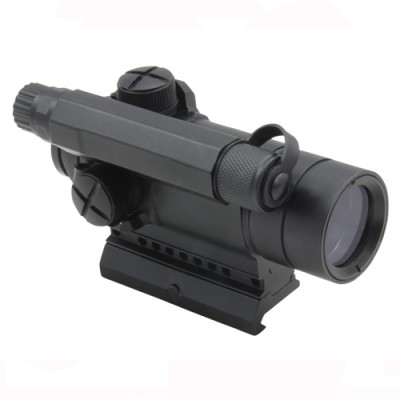
CCOP RD-29001 Red Sight Dot
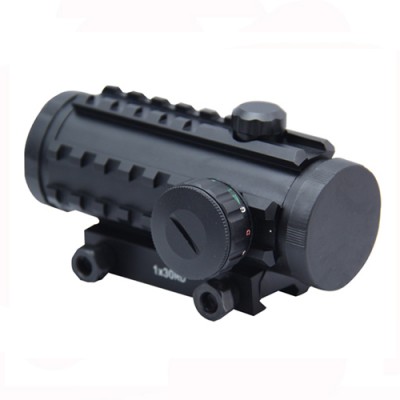
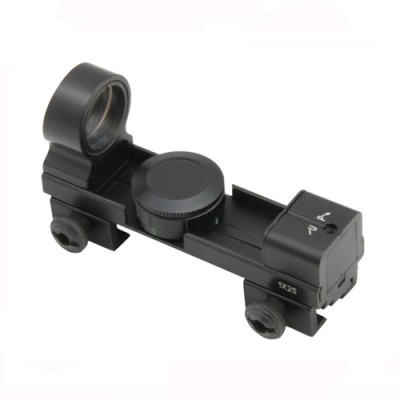
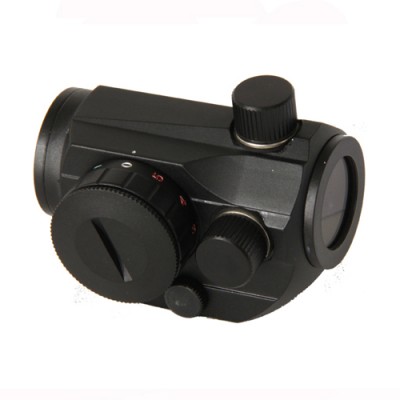
The CCOP RD-29001 Red Sight Dot is designed for fast. both-eyes-open target acquisition In close range situations. The Reflex Red Dot Sight is a compact design that can be mounted on almost any platform form pistols to rifles to shotguns.
. Rugged, lightweight aluminum chassis design
. 2 MOA red dot with 12 brightness settings
. Parallax free optics from 10 yards with multi-layer PVD coatings Elevation
1. Battery
The CCOP RD-29001 Red Sight Dot is fitted with a CR2032 battery ( not included ). The battery is located on the right Side of the sight. To replace the battery unscrew the cover, insert the battery into the compartment so that the (+) is facing up and replace cover.
2. Illumination
The illumination buttons are located on the right Side of the sight. Turn the button clockwise to turn the sight on, it will remember the last brightness setting used. Turn the button clockwise/anticlockwise to adjust through the twelve brightness levels. Adjust the brightness based on the ambient light ,for example, use a low setting for dawn/dusk or low light conditions. It will automatically turn off after 4 hours
3.Mounting
The CCOP RD-29001 Red Sight Dot comes with a Weaver/ Picatinny style mount. Loosen the side Mount screw with the included Torx wrench and place the sight onto your firearm in the desired position. Tighten the mount screw. Mounting your CCOP RD-29001 Red Sight Dot to your firearm may require an adaptor ( included, low profile or extra high profile). Mounts and adaptors can be changed out by using the four bottom screws.
4. Elevation and Windage Adjustments
The CCOP RD-29001 Red Sight Dot sight has separate controls for windage and elevation adjustments. to make adjustments. Remove the caps and use a coin or flat blade screwdriver to turn the knobs. To adjust left or right. rotate the windage knob located on the right side. To adjust up or down, rotate the elevation knob located on top.
5. Maintenance
Take care not to drop, knock, or subject the scope to heavy impacts. Keep the protective cover in place when not in use.
Maintain the metal surface of the scope by removing dirt, dust , etc. with a soft brush to avoid scratching the surface.
If necessary, clean the exterior lenses of the scope with the supplied cloth. First, make sure the lenses and cloth are clean of debris to avoid scratching the lens surface and coatings. Never use fingers or tissue paper.
Do not allow the scope to come into contact with acid, alkaline, or corrosive materials or substances.
Do not disassemble the scope or lubricate any part of the scop


- English
- French
- German
- Portuguese
- Spanish
- Russian
- Japanese
- Korean
- Arabic
- Irish
- Greek
- Turkish
- Italian
- Danish
- Romanian
- Indonesian
- Czech
- Afrikaans
- Swedish
- Polish
- Basque
- Catalan
- Esperanto
- Hindi
- Lao
- Albanian
- Amharic
- Armenian
- Azerbaijani
- Belarusian
- Bengali
- Bosnian
- Bulgarian
- Cebuano
- Chichewa
- Corsican
- Croatian
- Dutch
- Estonian
- Filipino
- Finnish
- Frisian
- Galician
- Georgian
- Gujarati
- Haitian
- Hausa
- Hawaiian
- Hebrew
- Hmong
- Hungarian
- Icelandic
- Igbo
- Javanese
- Kannada
- Kazakh
- Khmer
- Kurdish
- Kyrgyz
- Latin
- Latvian
- Lithuanian
- Luxembou..
- Macedonian
- Malagasy
- Malay
- Malayalam
- Maltese
- Maori
- Marathi
- Mongolian
- Burmese
- Nepali
- Norwegian
- Pashto
- Persian
- Punjabi
- Serbian
- Sesotho
- Sinhala
- Slovak
- Slovenian
- Somali
- Samoan
- Scots Gaelic
- Shona
- Sindhi
- Sundanese
- Swahili
- Tajik
- Tamil
- Telugu
- Thai
- Ukrainian
- Urdu
- Uzbek
- Vietnamese
- Welsh
- Xhosa
- Yiddish
- Yoruba
- Zulu